|
This installation guide is applicable to these latest edition of Bitdefender products:
* Those products above are restricted for activation in Malaysia only. * Client is responsible for self-installation, network, PC & Windows troubleshooting. Kindly request support from your local IT technician if your computer or Internet network are require further troubleshooting. Our technical support is a remote support, and is limit to Bitdefender products only. IMPORTANT: You must uninstall any other Antivirus before install Bitdefender products. Get these Removal tools (uninstall tools) for common antivirus software (Download here) Bitdefender products offering Full-Fledged Parental Control are Internet Security and Total Security. Get yours today! 1. How do I access Parental Control?Bitdefender Parental Control enables you to control the access to the Internet and to specific applications for your children. At the same time, it allows you to monitor their Facebook account activity.
There are two ways you can access Parental Control settings: from Bitdefender Central account on any computer or mobile device connected to the Internet. From a computer: 1. Open a web browser. 2. Go to: https://Central.bitdefender.com 3. Log in to your account using your user name and password. 4. Click Parental Control to access the dashboard.  Kids face a multitude of dangers while online. As a parent, you’ll gain insights into their online interests, and be better prepared to protect and guide their online activities. Feature list: Social networks tracking Bitdefender Parental Control gives you a comprehensive oversight of your kids’ social network activities. You’ll be updated on everything from new friend requests, comments, pictures, and videos, to changes in privacy settings. Comprehensive activity reports Track your kids' online activities (including all websites they visit, or attempt to visit) and block malicious or offensive content with Bitdefender Parental Control. Websites & Apps Blocking and Monitoring Because you can’t be there 24/7, Bitdefender Parental Control allows you to see what web sites your kids are visiting, as well as what apps they are using. Enabling you to block both, you’ll protect your kids from potentially inappropriate topics by selectively filtering content. Activity Reports & Alerts Choose to receive daily, weekly, or monthly activity reports and notifications on an hourly basis, regarding your kids’ online activities. ONE product that covers all your security needs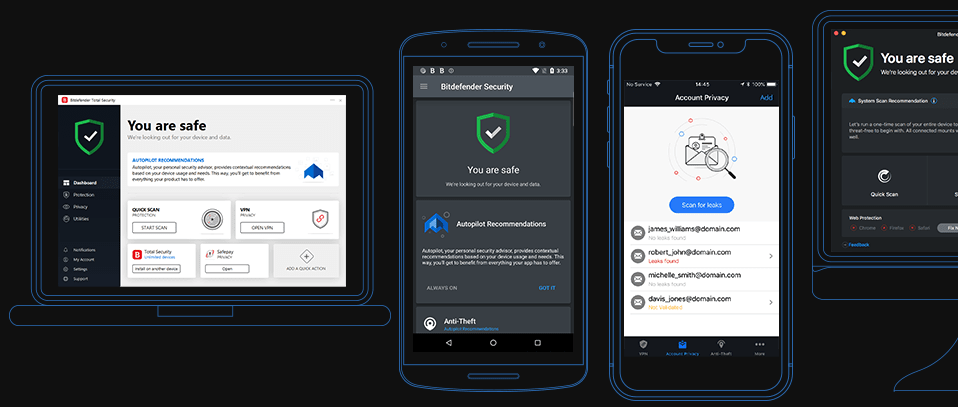  he FBI is investigating another case of an IoT device gone rogue after a family in Austin, Texas, called the police regarding a hacked Wi-Fi baby monitor. Although they followed the common advice for safe online activity and changed the factory password, a criminal still hacked the device. At first, the camera, which could only be accessed via mobile, only blinked. which meant someone had logged in. However, the monitor soon started moving left and right, confirming that someone was spying on the child. The parents instantly disconnected the device from the internet and called police, who reached out to the FBI. This is not the first case of invasion of privacy through a hacked baby monitor or an internet router. Hackers can easily exploit such devices because they come with default passwords, which few users change, and they don’t have proper encryption enabled. Naturally, pedophiles and sex offenders are a top concern because “they can leave the mic open and you’ll never know it,” explained Mike Adams, a forensics examiner. “They can take pictures of the children, distribute and sell them.” Some baby monitors that lack proper security are, according to Kids Savers Network, iBaby M6, iBaby M3S, Philips In.Sight B120/37 All Models, Summer Baby Zoom Wifi Monitor and Internet Viewing System, Lens Peak-A-View, Gynoii, TrendNet Wifi Baby Cam TV-IP743SIC. Their vulnerabilities include information leaks, authentication bypass and backdoor escalation problems. To prevent such situations, users should avoid weak and default passwords and opt for complicated structures with symbols, numbers and upper and lower case letters. The general problem with IoT is that it is mostly hackable, so it would be wise to protect your entire network, including the Wi-Fi connection and router. Source: Hot for Security powered by Bitdefender  Some 10% of the visitors to porn video sites are less than 10 years old, Bitdefender research shows.
Most of the websites ask users to confirm they are 18 or older, but they cannot verify the real age of the visitors. Sites most visited by children under 10 include xvideos.com, xnxx.com and pornhub.com, according to internal intelligence of the Parental Control feature of Bitdefender’s security solutions. “The research shows that, unless they are carefully supervised by their parents, children start visiting porn websites from an early age,” Bitdefender’s Senior e-Threat Analyst, Bogdan Botezatu says. “While porn sites only formally restrict minors, parents can easily take simple measures by installing security solutions with a Parental Control tool that can block access to unauthorized areas.” |
Protect from RansomwareBuy Bitdefender now 
RECOMMENDED READINGs
All
|
 RSS Feed


For BUSINESS: Gravityzone Advanced Business Security
We are a certified Sales Partner (more than 8 years), not principal
Copyright © 2024 We are a Gold Partner of Bitdefender.
Website managed by 57Network.com